 EditableImage
Turn NotebookLM slides into an editable PowerPoint.
A NotebookLM slide is a picture, so its words cannot be clicked. Upload the deck's PDF, pick a slide, and its text comes back as PowerPoint text boxes over the slide's own background, ready to retype and move.
New accounts get 10 free credits — no card.
One run costs 4 credits, so that covers your first 2. Signing in is free and takes one click — the tools need an account to run.
Every new run is charged, including the same image uploaded again. Extra steps you ask for — another edit round, a further split — cost extra; a failed run refunds. See credit packs and pricing.
Image to PPTEditable PPTX
- Upload the slide screenshot.
- The layout is parsed, then every box, font size, weight, and colour is measured from your own pixels.
- Edit on canvas and export a real .pptx.
A real run, as the exported file renders
A NotebookLM slide with an illustration
Page 4 of a five-slide Chinese deck made with Gemini Notebook (NotebookLM) and downloaded as a PDF, drawn at 2048×1143 in the browser: a title, three labelled boxes, a robot illustration and a side panel.
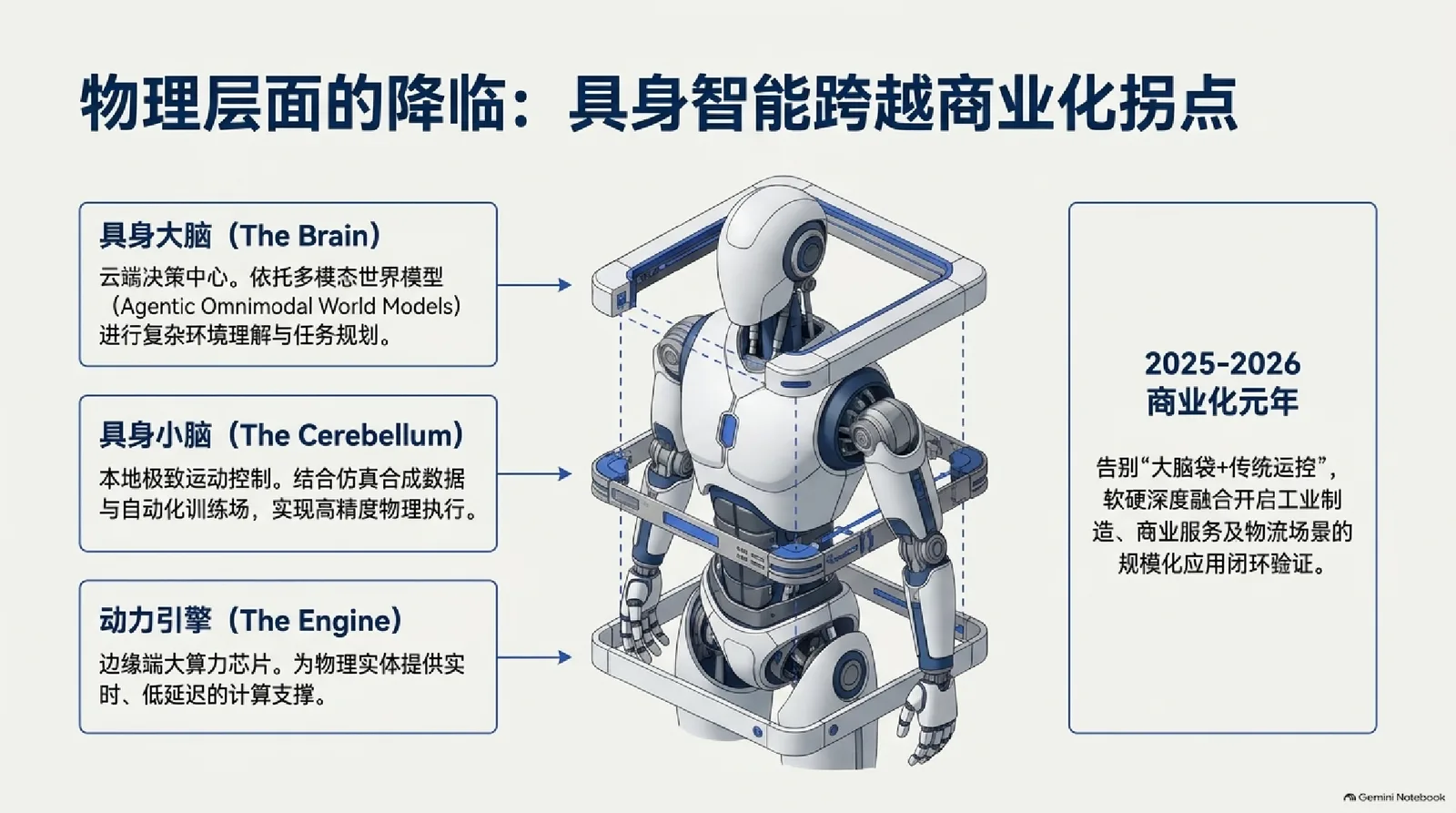
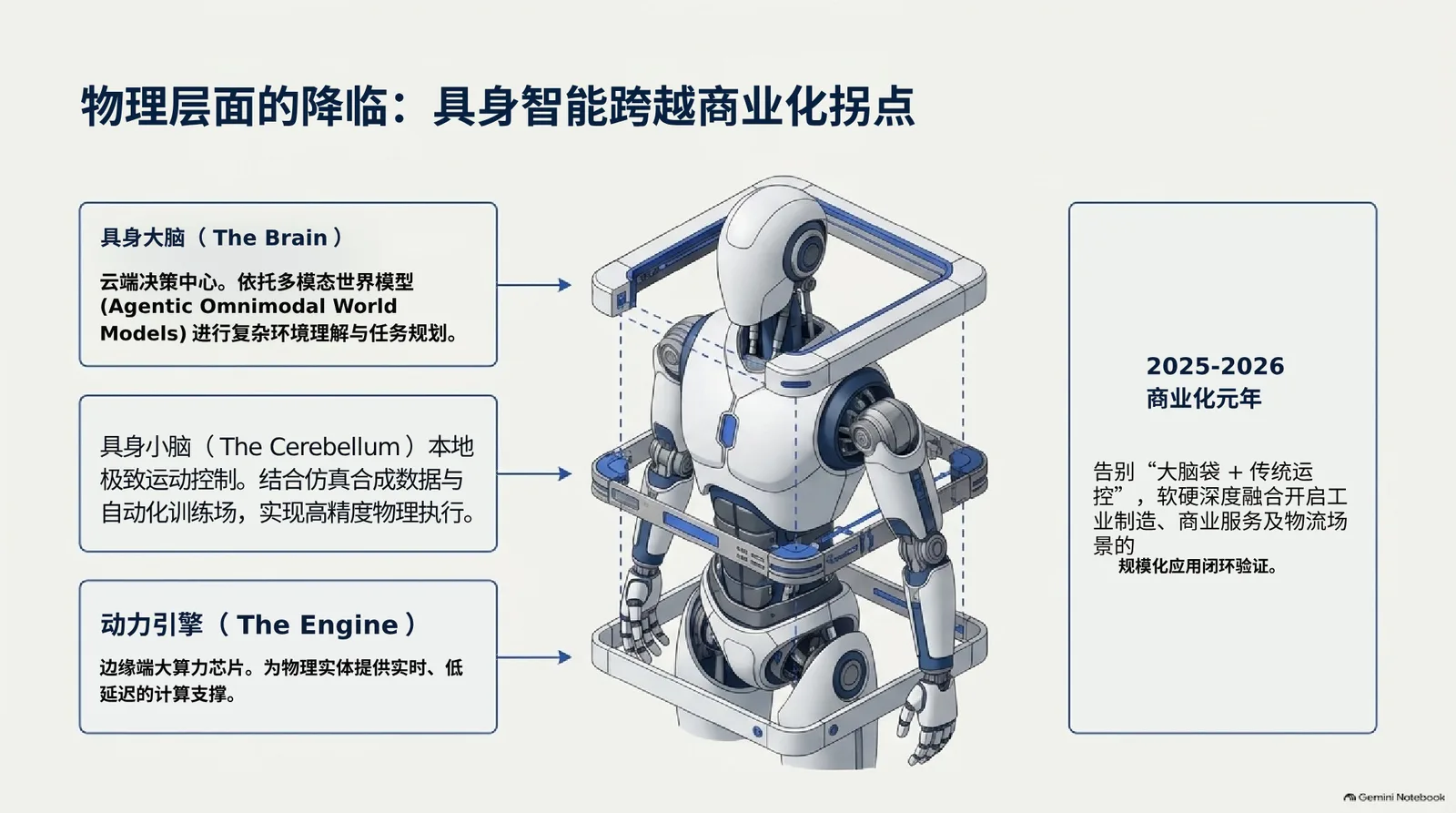
- 18 objects
- 9 text boxes
- 6 pictures
- 50 s
- 4 credits
- Run 2026-11-08
What to check. Every line of writing came back as text, Chinese and English alike, and the robot stays a picture. The middle box's heading was merged with its text into one box without its bold, and the side panel's last line is a box of its own, so two places to tidy in PowerPoint. Run from a developer build on the same code and models that serve the site.
Why NotebookLM slides are not editable
NotebookLM — called Gemini Notebook since its rename — draws each slide of a Slide Deck as one finished picture, the way an image model draws a poster. The words, icons and illustrations are all pixels on that picture, so there is nothing for PowerPoint to select.
Its download menu offers the deck as a PDF or as a PowerPoint file (Google's help: Generate a Slide Deck in Gemini Notebook). Both carry the same pictures. We downloaded one deck both ways on 8 November 2026: every page of the PDF is a single image with no text in it, and every slide of the PPTX is one picture covering the whole slide.
How to convert NotebookLM slides to PowerPoint
- In NotebookLM, open the Slide Deck, choose the three-dots menu and download it as a PDF.
- Upload that PDF here. It opens in your browser and shows every slide; nothing is sent until you pick one.
- Pick the slide to convert. It is drawn at full size and converted like any slide image: the text that can be read comes back as PowerPoint text boxes, and pictures and icons stay as images over a rebuilt background.
- Retype, move and restyle in the editor, then export the .pptx. To do the next slide, come back to the PDF and pick it — each slide is its own conversion.
What a converted NotebookLM slide gives you
- Every line the converter reads comes back as a text box, Chinese and English alike, so headings and body text can be retyped, translated or restyled.
- Framed panels can come back as PowerPoint shapes you can recolour and resize, and illustrations and icons as separate pictures you can move, resize or replace.
- NotebookLM draws its lettering with an image model, so a word can already be misspelled in the picture. The text is read as it appears, which makes any such typo a quick retype in PowerPoint rather than a redraw.
Questions
It can download a Slide Deck as a .pptx, but each slide arrives as one picture, so the text inside it still cannot be edited. Converting the slide here is what turns that text into PowerPoint text boxes.
The PDF. Download the deck from NotebookLM as a PDF and upload it here: it opens in your browser, where you pick the slide to convert.
Yes, slide by slide, at 4 credits each. The PDF stays open in the tab, so after one slide is done you pick the next without choosing the file again.
Closely: the size, weight, colour and alignment are measured from the slide, and the words are set in a close-matching font, since the slide holds drawn letters rather than a font file.
Yes. NotebookLM was renamed Gemini Notebook, and its Slide Decks download the same way, so the same PDF works here.
Yes. A new account gets 10 free credits without a card, and a slide conversion costs 4, so the free credits cover two slides. A conversion that fails refunds what it took.
Related ways to work
- Turn a slide screenshot into an editable PowerPoint.
Convert a slide screenshot into editable PowerPoint text boxes over a rebuilt background. How to capture the slide, what comes back, and what to check.
- Turn an image into an editable PPT.
Convert an image into a PowerPoint you can edit: real text boxes, shapes and separate pictures over a rebuilt background. Real runs, steps, and how to check.
- Image to PPT
The whole tool, without the narrower framing — Editable PPTX either way.