EditableImage
Markdown or TXT

Extract text from an image with its formatting and layout.

Not one flat block of words. The headings come back as headings, the lists as lists, and every block tells you the size, weight, and colour it was set in — then you can put the words back on the picture next door.

Drop, paste, or choose an imagePNG, JPG, or WebP · up to 20 MB · Ctrl/⌘ V works anywhere on this page
No image ready?Loads the example above into this editor.
Best withSlides, screenshots, documents, and figures with readable labelsProcessing timeUsually 20–45 secondsProcessingImages are sent to third-party AI services. Privacy details

New accounts get 10 free credits — no card.

One run costs 1 credit, so that covers your first 10. Signing in is free and takes one click — the tools need an account to run.

Every run is charged, including the same image twice, and additional AI actions or fallback processing may cost extra. See credit packs and pricing.

Image to TextMarkdown or TXT

  1. Upload the image — Ctrl/⌘V works anywhere on the page.
  2. The page is read into blocks, then each block's size, weight, and colour is measured from your own pixels.
  3. Copy it, or download Markdown with the headings and lists still in it.
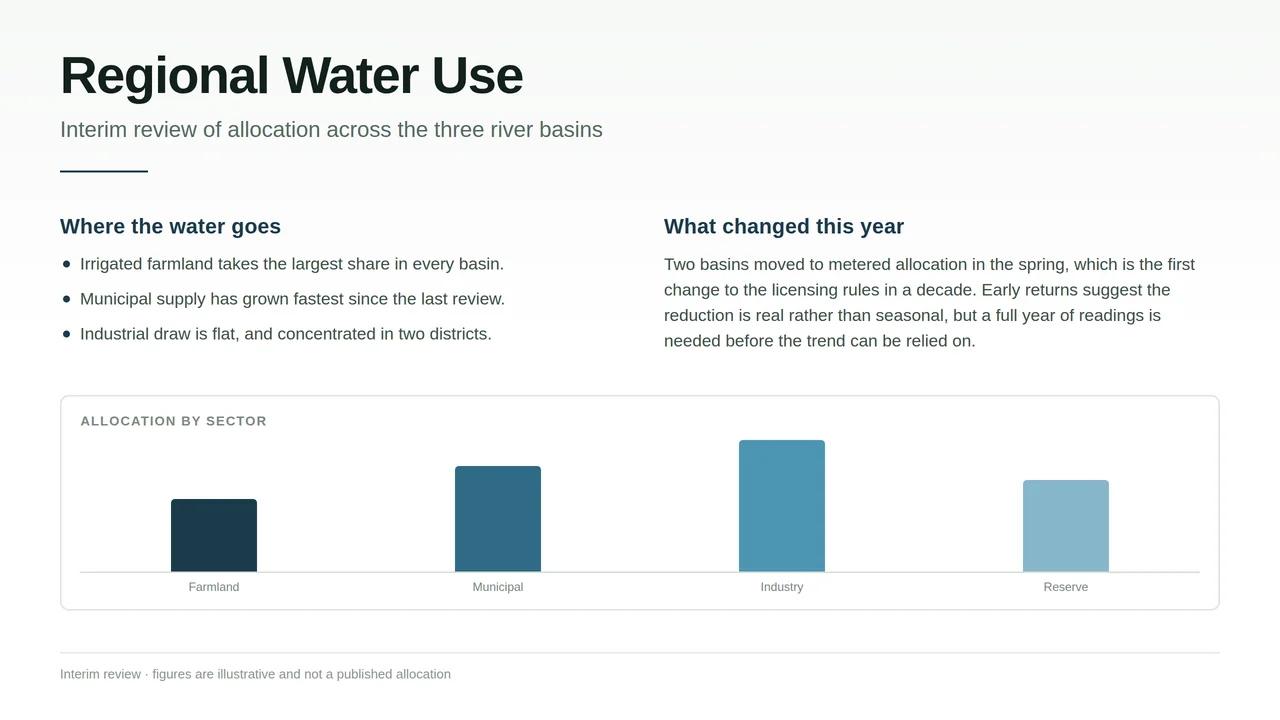
Image to text at a glance

Image to Text by EditableImage: Extract text from an image while keeping headings, lists, paragraphs, and measured type details such as size, weight, and colour. Export Markdown or TXT.

Input
PNG, JPG, or WebP, up to 20 MB
Output
Markdown or TXT
Best with
Slides, screenshots, documents, and figures with readable labels
Processing time
Usually 20–45 seconds
Cost
1 credit per run; new accounts get 10 free credits, no card
Your upload
Never published, and deleted after 24 hours
Last updated
29 September 2026

Compare the image with the structured text result

Original imageOriginal input: A report page of headings, a bulleted list, a paragraph and a bar chart, of the kind this reads
Editable result
A report page of headings, a bulleted list, a paragraph and a bar chart, of the kind this reads
Measured, not guessed

Title52px · 700 · #0E1B16

10 blocks · size, weight and colour
Markdown or TXTHeadings stay headings, and every block carries the type it was set in

How image-to-text extraction works

  1. 01Upload the image — Ctrl/⌘V works anywhere on the page.
  2. 02The page is read into blocks, then each block's size, weight, and colour is measured from your own pixels.
  3. 03Copy it, or download Markdown with the headings and lists still in it.

When image-to-text extraction helps

Image to text questions

Can I get Markdown out of it?

Yes. The heading levels and the lists come from the read of the page rather than from guessing at font sizes afterwards, so a subheading comes back as a subheading even where it is set smaller than the body around it.

Can I extract text from a screenshot?

Yes. Paste or upload the original screenshot at full resolution, then check the block order and small labels before copying or downloading Markdown or TXT.

Does it tell me the font size and colour?

Yes, for every block, measured from your own pixels at the image's resolution. Text recognisers cannot: they work on a black-and-white version of your picture, so the colour is gone before the letters are read.

What will it not read?

Labels drawn inside a diagram or a chart come back marked as a picture rather than transcribed — that is what Image to Draw.io is for. And proofread your numbers: a zero in a display face is read as the letter O often enough to be worth a glance.

Start free — signing in gives you 10 credits

No card required. Enough for 2 slide conversions, or 2 diagrams or text edits, before you decide whether any of this is worth paying for.

  • Signing in takes one click and costs nothing. The tools need an account to run.
Get 10 free credits