
Image to layered PSD test: 8 layers from one flat AI poster
We split a 1086×1448 butterfly poster into eight PSD layers, moved the subject and hid one label. See the 293-second result and its limits.
We converted one flat 1086×1448 butterfly poster into a layered PSD and got eight layers in 293 seconds. The butterfly became a movable cutout, the large title and four small labels became separate layers, the crosshair marks became another layer, and the background was rebuilt beneath them.
To verify the layers were useful rather than just named, we moved the butterfly 120 pixels right and 80 pixels down, hid the “07.25” label, and exported the edited composition. Both changes appear in the result below.
What flat image did we split into layers?
The source is deliberately difficult: a halftone butterfly overlaps a textured paper background, the title uses decorative lettering, and several labels are much smaller than the main subject.
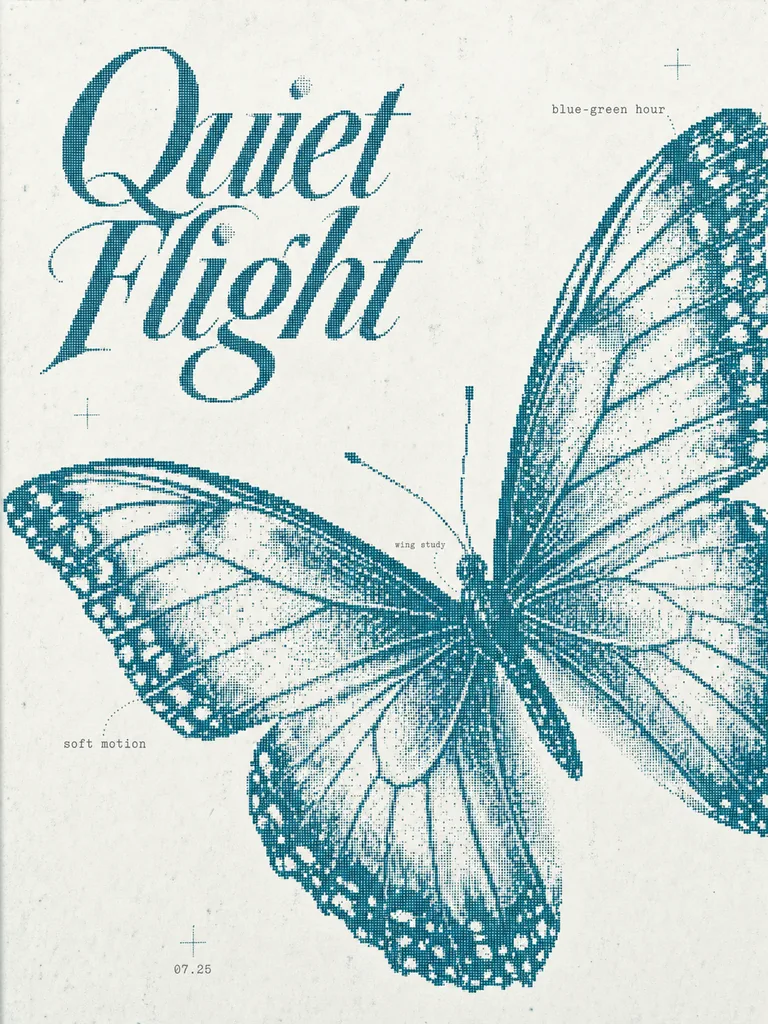
This makes a better test than a portrait on a plain background. Fine halftone edges expose cutout mistakes, while the hidden paper behind the butterfly tests whether the background can still be used after the subject moves.
What did the layered PSD contain?
The image-to-layers converter returned this stack:
| Layer | Count | What we tested |
|---|---|---|
| Butterfly | 1 | Moved 120 px right and 80 px down |
| “Quiet Flight” title | 1 | Kept independently from the paper background |
| Small labels | 4 | Hid the “07.25” label without covering it manually |
| Crosshair marks | 1 | Kept the three marks together as one visual layer |
| Rebuilt background | 1 | Filled the area that had been hidden by the butterfly |
| Total | 8 | Exported together as a layered PSD |
The four small labels count as four PSD layers even though the editor groups them into one compact row. The crosshair marks are one layer with three disconnected visible regions.
Did the separated layers remain editable?
Yes. Moving the butterfly changes the composition without moving the title or labels. Hiding “07.25” removes only that label. The downloaded image from that edited layer stack is here:
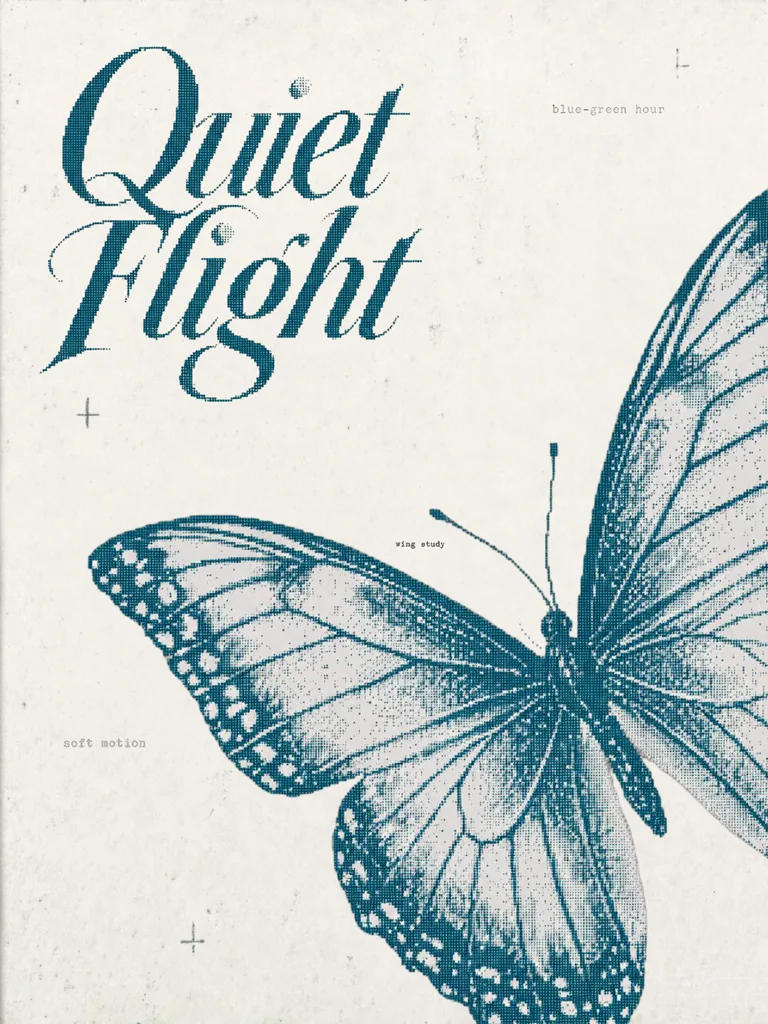
The clipping is intentional evidence of the move. It also shows why an edited result is more useful proof than a row of isolated transparent thumbnails: you can see that one layer moved while the rest of the composition did not.
What should you inspect after splitting an image into layers?
Layer separation has two unavoidable areas of uncertainty.
First, a flat image contains no pixels behind the butterfly. When the butterfly moves, the paper underneath must be reconstructed. That fill is a plausible continuation, not recovered source data. Repeating patterns, hard shadows and detailed objects behind a subject deserve a close look.
Second, every separated edge is estimated. Fine antennae, hair, translucent fabric and halftone dots can pick up a fringe or lose detail. Check each cutout both on the rebuilt background and against a contrasting temporary colour before handing the PSD to another editor.
Image to PSD versus background removal
Background removal normally gives you one foreground cutout and transparency. This run produced several independently usable pieces plus a filled background. That is the useful difference when the goal is to rearrange a poster, animate elements, remove a label or continue editing in Photoshop.
If all you need is one isolated product photo, ordinary background removal is faster. If the subject, title, labels and design marks need separate control, a layered PSD is the more useful output.
The tested workflow
- Open Image to Layers and upload the flat design.
- Wait for the separation; this eight-layer run took 293 seconds.
- Toggle every layer off once to see what it owns and what appears beneath it.
- Move the main subject and inspect the rebuilt background at 100%.
- Export the layered PSD and confirm the layer names and order in Photoshop or another PSD editor.
The number of layers is less important than whether each one controls a part of the picture you actually need to change.
Questions
- How many layers did the poster produce?
- Eight layers — the butterfly, the Quiet Flight title, four small text labels, the crosshair marks and a rebuilt background.
- How long did the image-to-PSD test take?
- The 1086×1448 poster took 293 seconds in this run. Processing time varies with the image and the number of layers returned.
- Are hidden areas in the background the original pixels?
- No. Pixels covered by the separated subject did not exist in the flat source, so those areas are reconstructed. Inspect texture and repeating patterns before using the background on its own.